The short answer
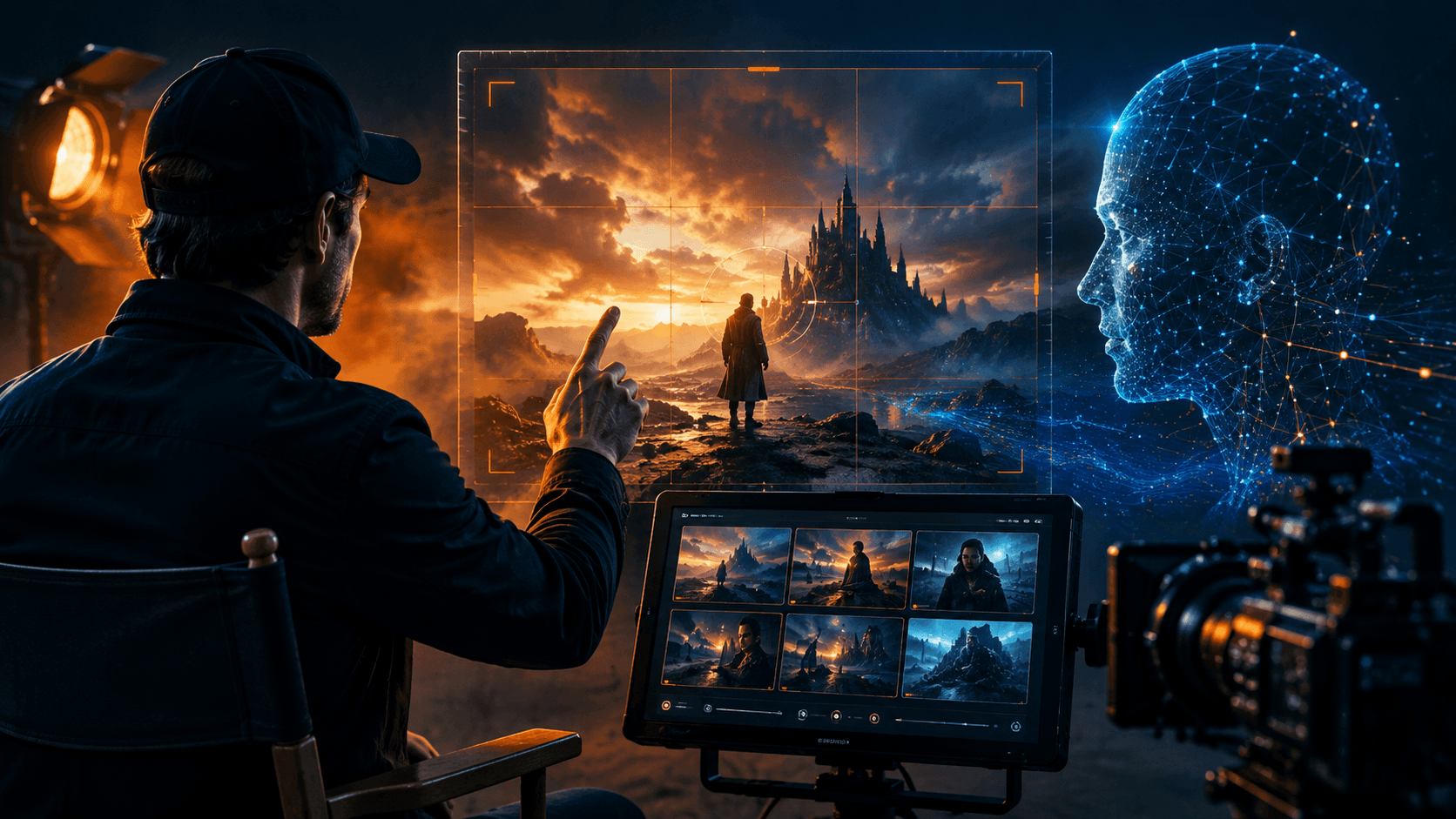
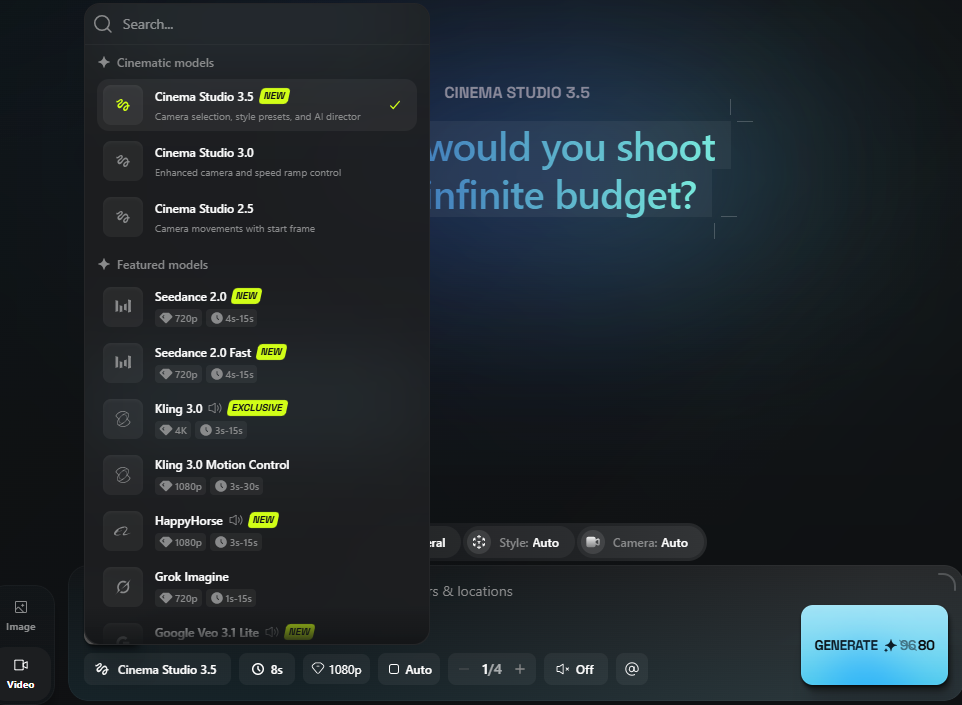
Higgsfield and Vimerse Studio aim at different creators. Higgsfield is a powerful cinematic generator. It has deep camera and motion control, dozens of presets, built for directed, film-style shots. It's brilliant if you want that control and you're willing to learn it. Vimerse Studio is a guided workflow: it takes a script all the way to a finished video. Using its unique audio guided workflow, it converts a script o voiceover, overlay visuals through batch generations and then add music.
If you want maximum cinematic control over individual shots and don't mind a complex, credit-based system, Higgsfield is excellent. If you want a clear, start-to-finish path to a full-length video and transparent fee structure, Vimerse is the right choice for you.
Try Vimerse free → https://vimerse.app
A control surface vs. a guided workflow
Higgsfield is a generator with a deep cockpit. Motion Control, Cinema Studio, 70+ camera presets, Director Mode and more. It's pace of new feature addition has been impressive. It's a rich toolset aimed at creators who want to direct every shot like a cinematographer. That depth is real, and for cinematic and fashion work it's a genuine strength.
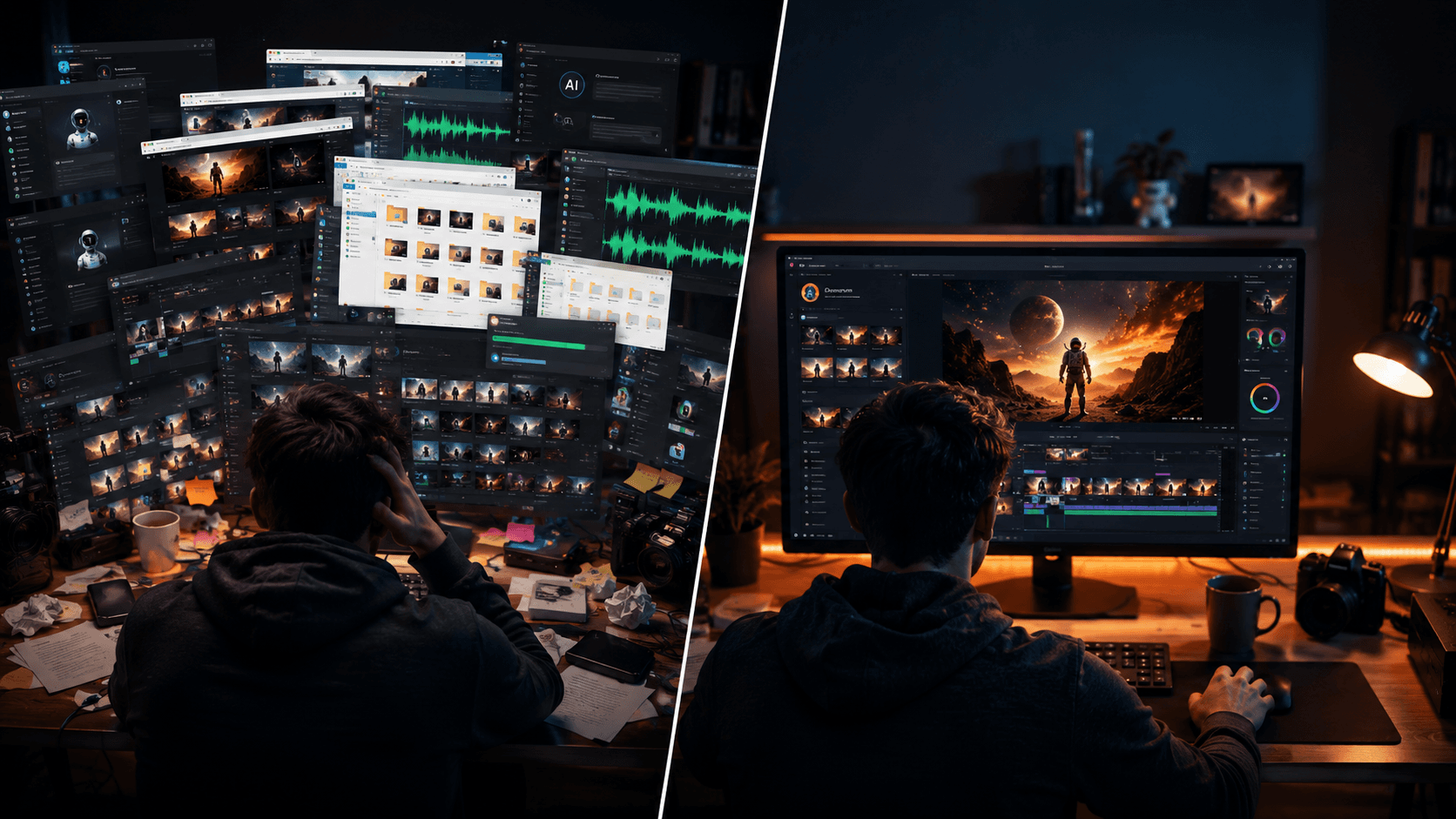
But it's also a wall. For someone who just wants to turn a script into a finished video, the depth is friction: more controls to learn, more decisions per shot, and no built-in path from idea to finished cut.
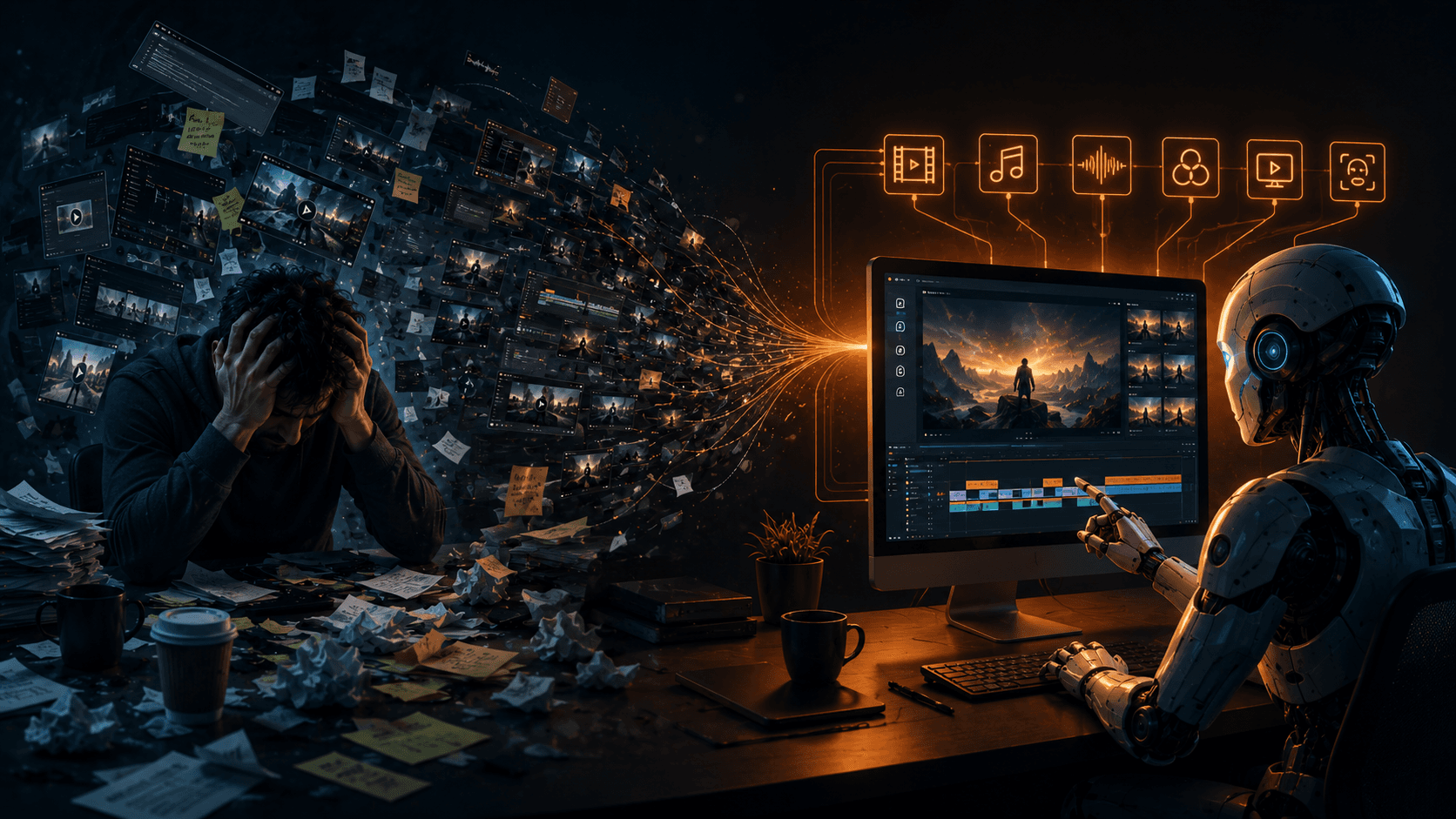
Vimerse Studio is the opposite shape. It's a linear workflow starting from script, then voiceover, then visuals, then music, then export. It could feel a bit rigid. But it also keeps you organized. While nearly every app now has ChatGPT-style chat UI, Vimere Studio's unique user interface is for maximum efficiency. You're not configuring a render engine; you're moving through steps. For beginners and for anyone optimizing for output over fine-grained shot direction, a guided path beats a control surface.
How Vimerse and Higgsfield compare
| Feature | Vimerse Studio | Higgsfield |
|---|---|---|
| What it is | Guided script-to-video workflow | Cinematic clip generator with deep camera control |
| Learning curve | Linear, step-by-step — beginner-friendly | Deep toolset (Motion Control, presets) — steeper |
| Pricing model | $49 one-time license + pay per generation | Subscription + credits (multiple tiers, restructured often) |
| Cost transparency | Per-second price shown before you generate | Credits per model not clearly published; varies by model |
| Models | Pick per shot (Veo 3.1, Kling V3, Seedance, Grok, Sora) | Many models, each costing different (opaque) credits |
| Voiceover | Built in (ElevenLabs, 11 languages, per-character) | Not a built-in script workflow |
| Music | Built in (Lyria) | Not built in |
| Pro editor export | MP4 or Premiere Pro XML | Clip export (MP4) |
| Best for | Full multi-minute videos, beginners, predictable cost | Directed cinematic shots, fashion/branded content, power users |
The credit system you have to decode
Higgsfield's pricing looks simple on the surface — a few tiers, a monthly credit number. The catch is underneath: different models burn very different numbers of credits, and that consumption rate isn't clearly published on the pricing page. One model might cost a handful of credits per clip; a premium model can cost ten times that. Two creators on the same plan can have completely different experiences depending on which models they happen to use.
That makes your real cost hard to predict until you're already spending. A premium clip can eat a large chunk of a monthly allowance before you realize it — and "unlimited" tiers carry a quiet caveat that generations may slow down during busy periods. On top of that, Higgsfield has restructured its pricing repeatedly since launch, so the plan you signed up for may not be the plan next quarter.
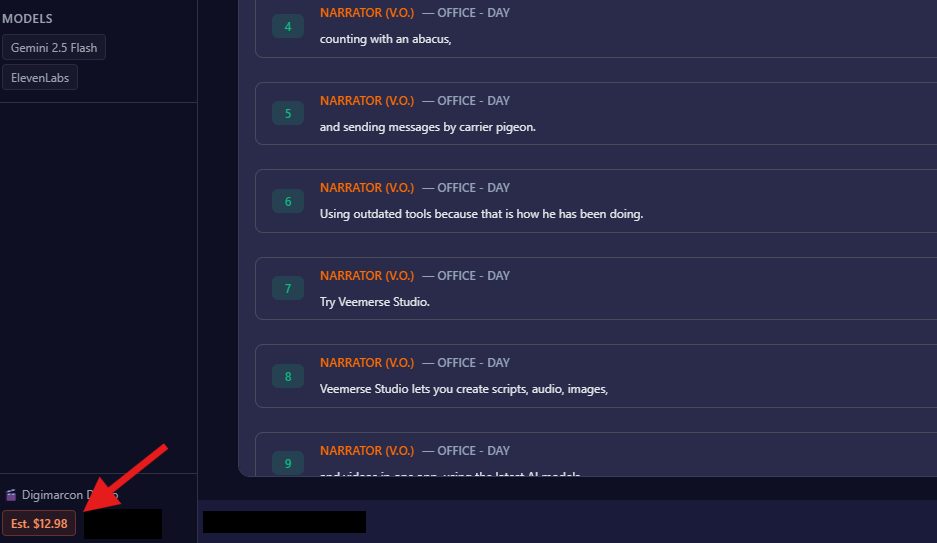
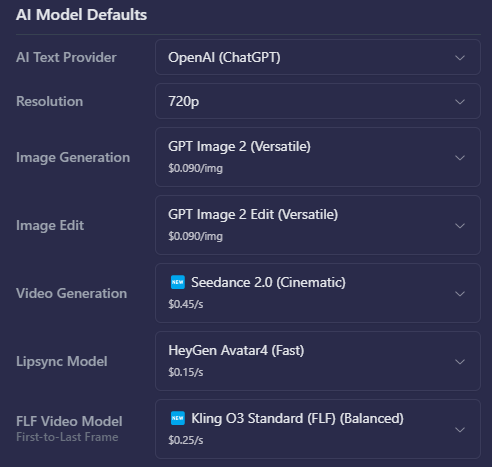
Vimerse Studio takes the opposite approach. There are no credits to decode. You buy a one-time license and pay per generation, and the app shows the per-second price of each model before you use it. You pick the model, you see the cost, you decide. Nothing is hidden, and nothing gets quietly restructured out from under you. For every project, you can see how much you spent.
Where Higgsfield wins (the honest part)
Higgsfield is genuinely excellent at what it's built for, and for some creators it's the better tool:
- Best-in-class camera and motion control. Its directed, cinematic shot-making — independent control of camera behavior, subject motion, and style — is something few tools match at any price.
- Cinematic presets and Director Mode. Dozens of camera presets and a director-style interface make it powerful for film-style and fashion/branded content.
- Single-clip cinematic quality. For hero shots where you want full creative control over the look and movement, Higgsfield shines.
- Specialized strengths. Garment upload and character animation make it strong for fashion and lifestyle work specifically.
Where Vimerse Studio wins
- A clear, guided path. Script → voiceover → visuals → music → export, step by step, instead of a deep control surface you have to learn.
- Predictable cost. Per-second pricing shown before you generate, on a one-time license. No opaque credits, no surprise burn rate, no restructuring.
- A whole video, not just clips. Built-in voiceover (one consistent voice across the whole piece, 11 languages), built-in music, and Premiere Pro XML export.
- Model choice with visible prices. Pick Veo, Kling, Seedance, Grok, or Flux per shot and see exactly what each costs first.
Feature-by-feature (the ones people ask about)
| Capability | Vimerse Studio | Higgsfield | Edge |
|---|---|---|---|
| Ease for beginners | Guided, linear workflow | Deep, complex toolset | Vimerse |
| Cost transparency | Per-second price shown upfront | Opaque credits per model | Vimerse |
| Pricing stability | One-time license | Restructured repeatedly | Vimerse |
| Camera / motion control | Camera angles + movements | Best-in-class (Motion Control, presets) | Higgsfield |
| Script → finished video | Yes (full workflow) | No (clip generator) | Vimerse |
| Built-in voiceover + music | Yes | No | Vimerse |
| Cinematic single-clip quality | Strong (model-dependent) | Best-in-class directed shots | Higgsfield |
| Pro editor handoff | Premiere Pro XML | Clip export only | Vimerse |
The honest summary: Higgsfield is the better tool for directed, cinematic shots if you want deep control and you're willing to learn it. Vimerse is the better tool for turning a script into a finished video with a clear path and predictable cost. Some creators use both — Higgsfield for hero shots, Vimerse for the whole production.
What Vimerse actually does
Here's the script-to-export flow, start to finish.
Script writing: There are three ways to provide your script.
- Manual script: You can write or paste your script.
- AI script: You can write a script with AI.
- Import audio/video: You can import an audio or video file and use that as a script. Vimerse Studio will transcribe and use the audio or video as it is as the guide.
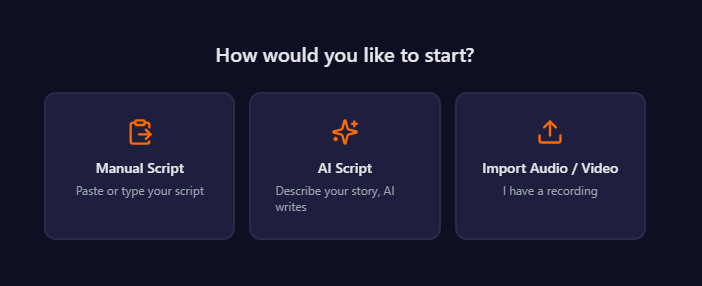
If you are using AI to write a script, you can select characters that would feature and then select the output language. You can choose 11 languages. Set the time duration and give some details about the script for AI to write.
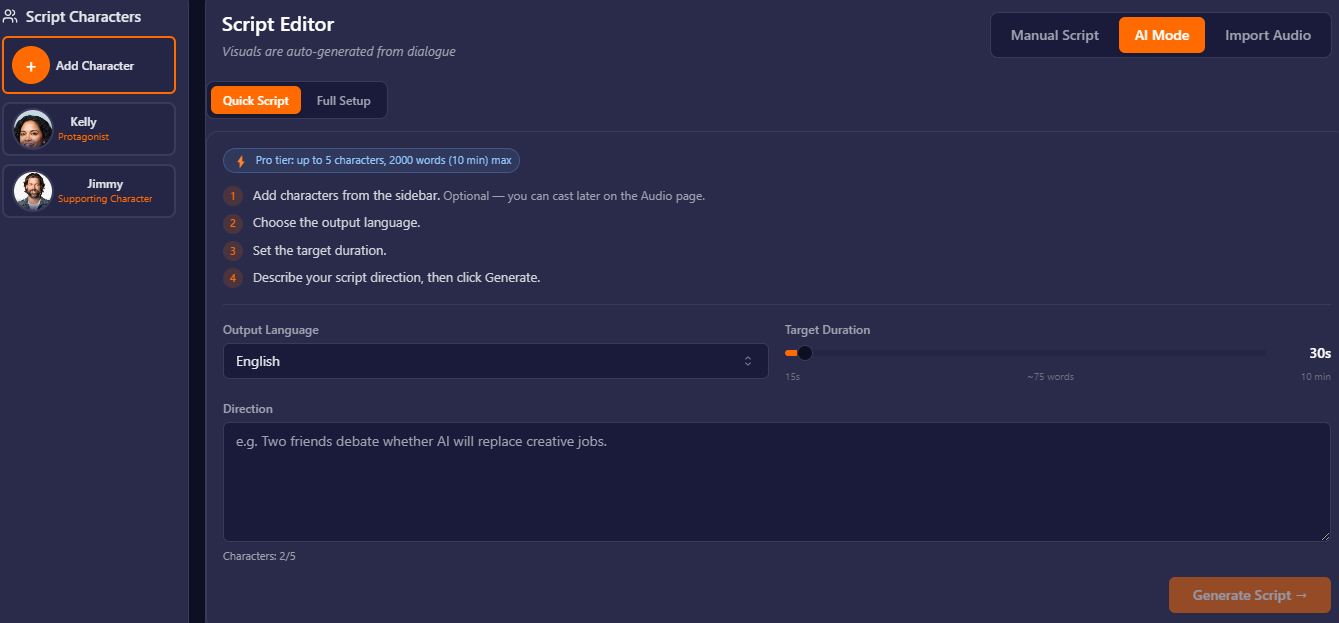
Your script is converted to voiceover automatically. Character voices are used for their dialogues automatically. Visual notes are used as a guide for detailed image prompting. Character images will be referenced for the shots.
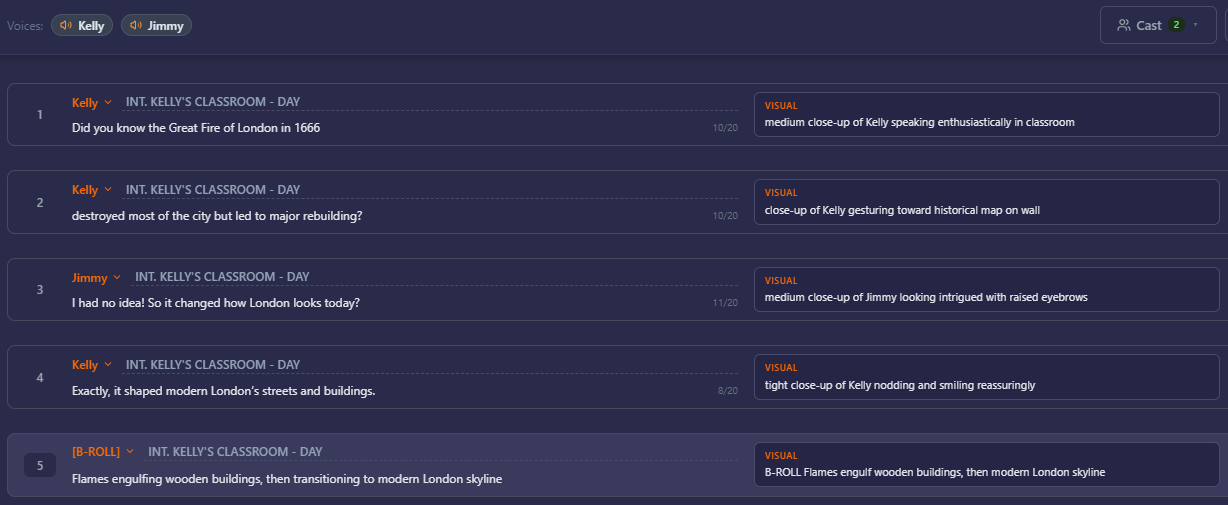
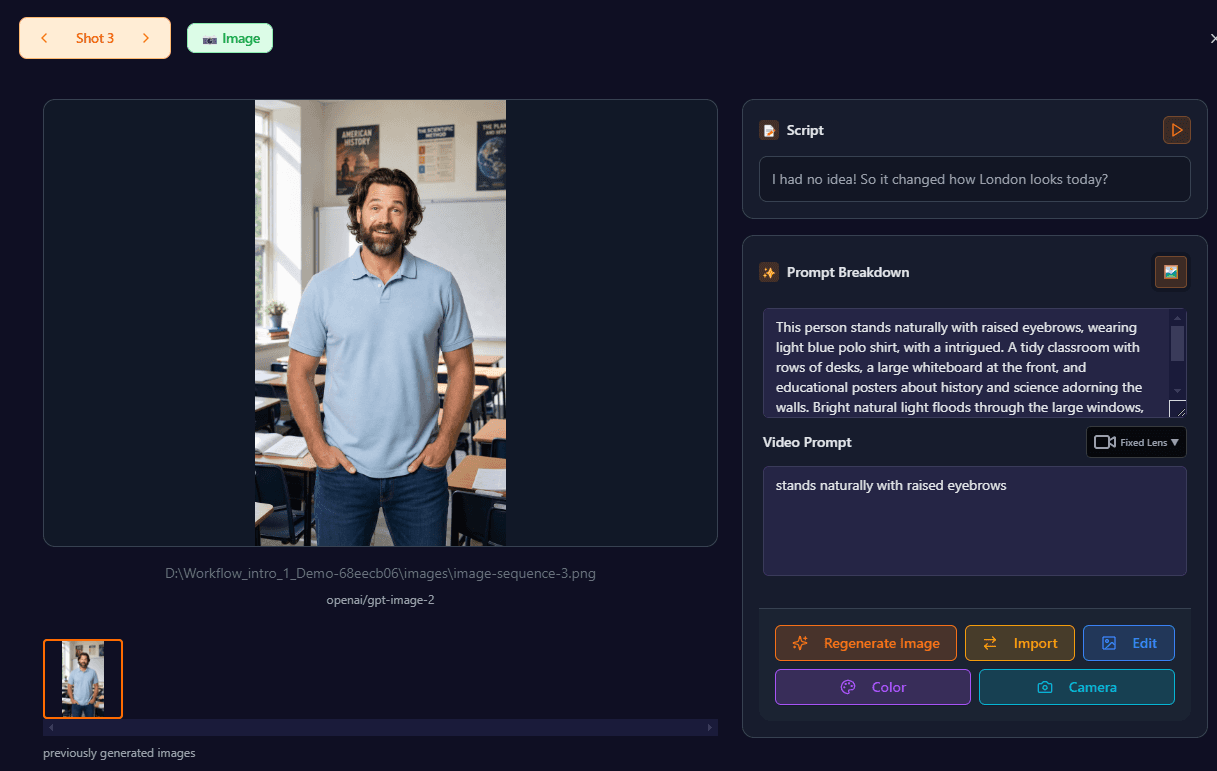
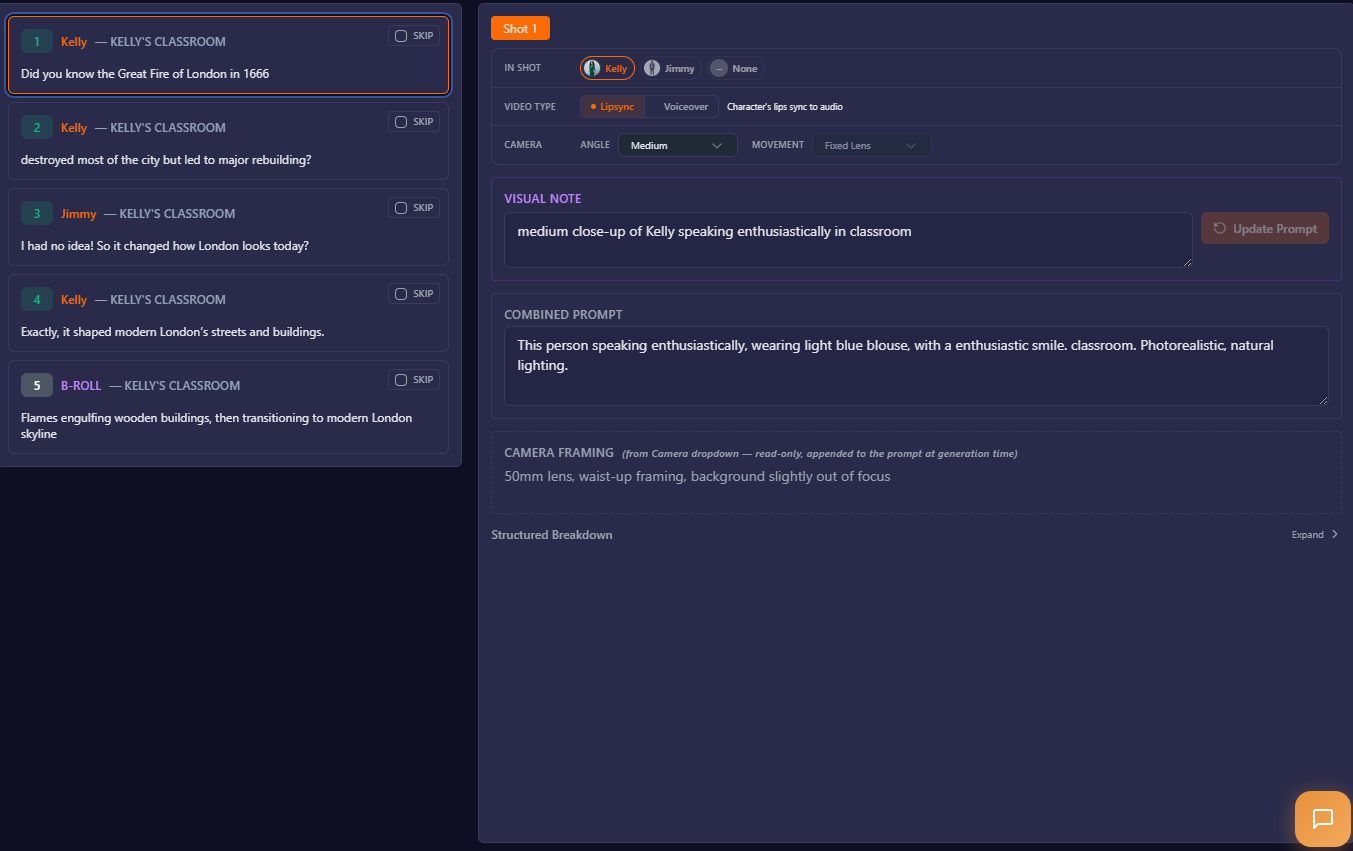
Now, you can prepare a prompt for each shot. We generate prompts for you automatically but you can always adjust. If you do not want to write a detailed prompt, write a quick note in the visual note and let the app generate more detailed prompt.
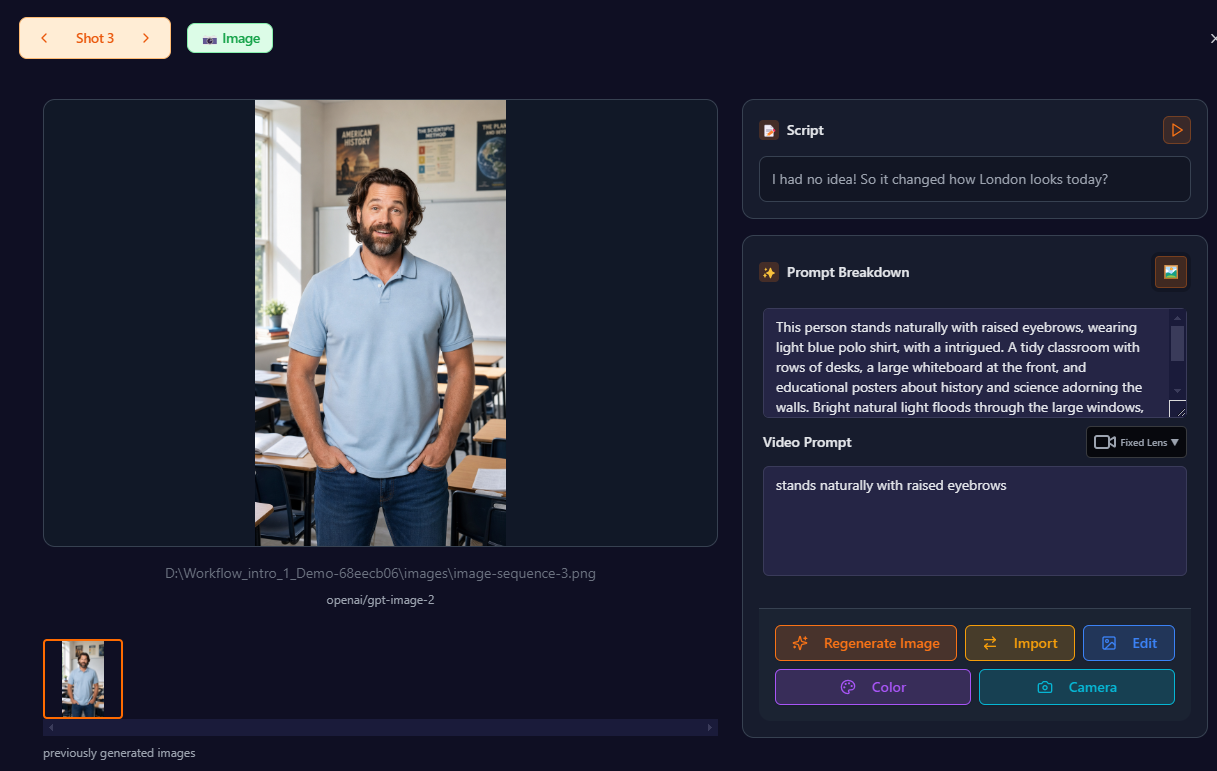
For every shot that's generated, you can refine the image with writing a new prompt, replacing with a different shot by using the import feature, editing, changing color of an item or updating camera angle.
Generate music with a prompt and score it across your shots.
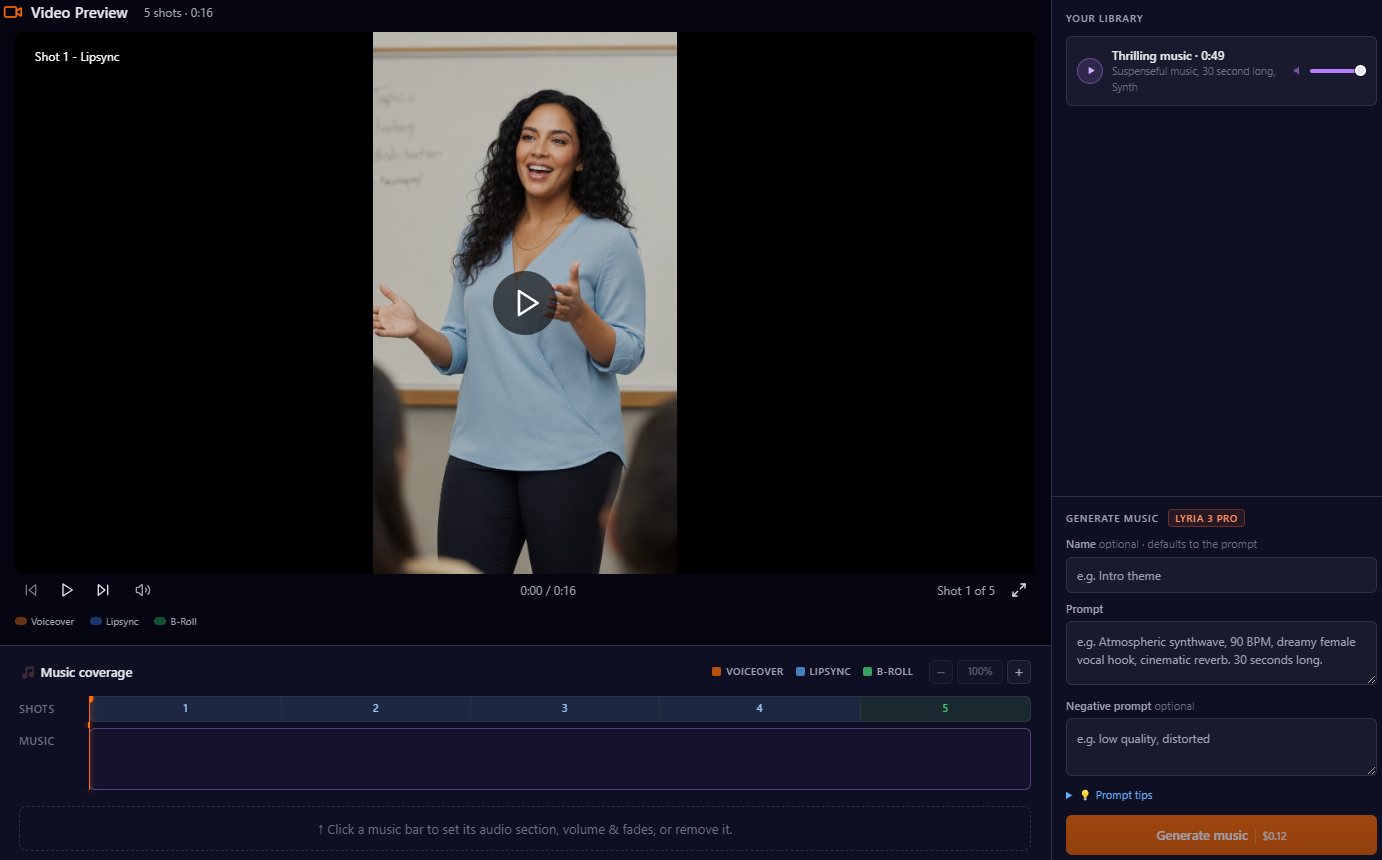
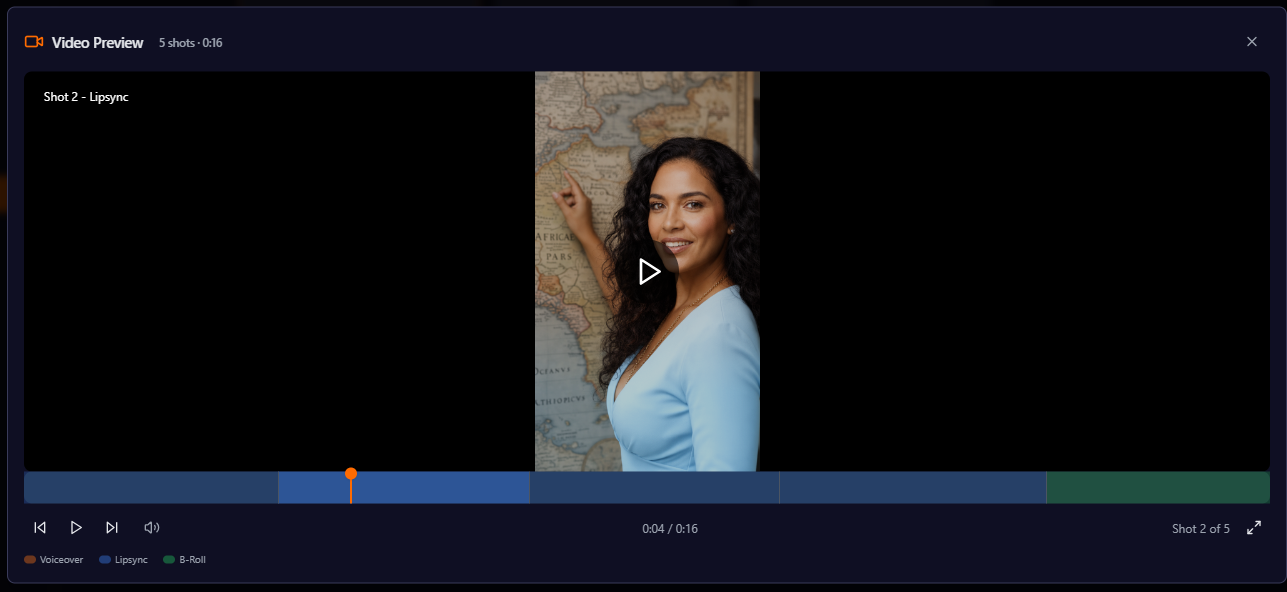
Export to MP4 to share, or Premiere Pro XML to finish in your editor. You can preview the video before exporting.
Who should switch (and who shouldn't)
Switch to Vimerse Studio if you want a clear, guided path from script to finished video; you're newer to AI video and don't want a steep learning curve; you make full-length content such as explainers, ads, YouTube, courses; or you want to know exactly what you'll pay before you generate.
Stay on Higgsfield if directed cinematic shot-making is your priority, you want deep camera and motion control, you produce fashion or branded hero shots where that control pays off, or you're a power user who wants maximum control over every frame.
FAQ
Is Vimerse easier to use than Higgsfield? For most creators, yes. Vimerse is a linear, guided workflow. Specifically, it is an audio-guided workflow. Based on a script, you create voiceovers and then convert them to matching visuals. Higgsfield is a deeper control surface built for directed cinematic shots, which is powerful but steeper to learn.
How does Vimerse pricing compare to Higgsfield's credits? Vimerse uses a one-time license plus pay-per-generation, and shows the per-second price of each model before you generate. Higgsfield uses a subscription credit system where different models cost different (and not clearly published) amounts, which makes your real cost harder to predict.
Does Vimerse have camera and motion control like Higgsfield? Vimerse offers camera angles and camera movements per shot, but Higgsfield's Motion Control is more advanced and is its core strength. If directed cinematic shot-making is your priority, Higgsfield does that specific job better.
Can Vimerse turn a full script into a finished video? Yes — that's its core purpose. It generates voiceover, builds shots, scores music, and assembles the whole video, then exports to MP4 or Premiere Pro XML. Higgsfield generates individual clips rather than assembling a full video.
Does it run on Mac and Windows? Yes — Vimerse is a desktop app for both.
The verdict
Higgsfield is the better tool for directed, cinematic shots — deep camera control and strong single-clip quality, for creators willing to learn it. Vimerse Studio is the better tool for turning a script into a finished video: a clear, guided workflow with built-in voiceover and music, model choice with visible prices, and a one-time license instead of a credit system you have to decode.
Create your first video free → https://vimerse.app