THE SHORT ANSWER
Runway and Vimerse Studio solve different problems. Runway is a generator and editor — you prompt it, and it makes (or polishes) one clip at a time. Vimerse is a workflow: it takes a script and carries it all the way to a finished video — voiceover, the right AI model for each shot, music, and an assembled timeline, in one app. So the real question isn't "which makes a better clip." It's what you're trying to make. If you need standout individual shots or want to edit real footage, Runway is excellent. If you need a whole multi-minute video such as explainer, ad, YouTube episode, course that are possibly built from a script without stitching 100+ clips across separate tools, that's a workflow problem, and that's what Vimerse is built for.
GENERATOR VS. WORKFLOW: WHY THIS COMPARISON IS DIFFERENT
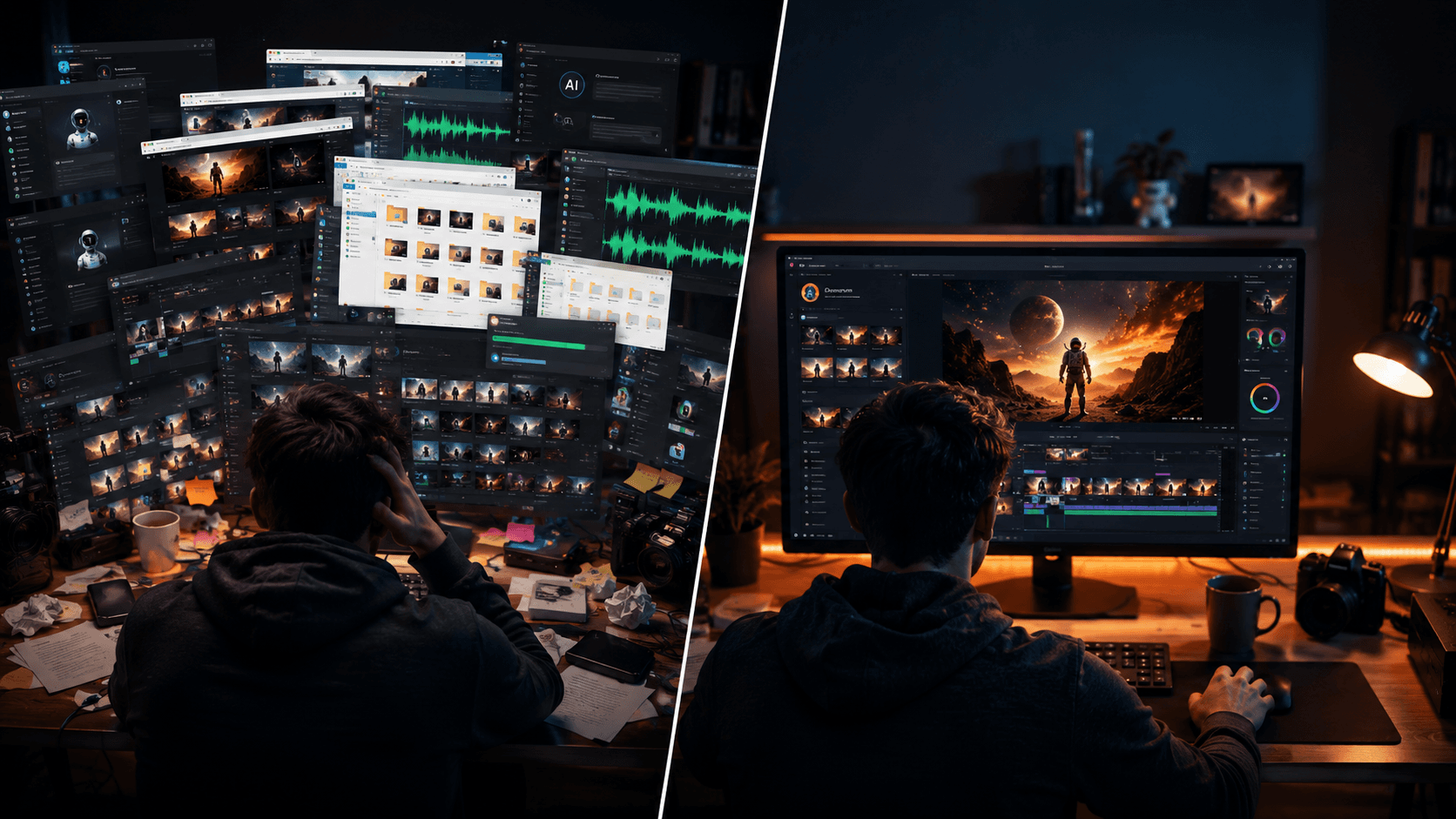
Most AI video tools, Runway included, are generators. You give a prompt, you get a clip. To turn that into a finished 10-minute video, you still have to write the script, generate voiceover somewhere else, create each of the ~120 shots, pick music, and stitch it all together in an editor — across four or five different tools, plus your own time.
Vimerse collapses that whole chain into one workflow:
That single difference explains almost everything else on this page. It's why Vimerse has built-in voiceover and music (a generator doesn't need them). It's why it lets you pick a different model for every shot (a workflow needs the right tool per job — cheap for filler, premium for the hero shot, a lipsync model when a character speaks). And it's why Runway is genuinely better at crafting an individual clip — that's the one step it's built around, while Vimerse is built around the whole production.
HOW VIMERSE STUDIO COMPARES TO RUNWAY
| Feature | Vimerse Studio | Runway |
|---|---|---|
| Where it runs | Desktop (Windows / macOS) | Browser + mobile |
| Built for | Full multi-minute videos, 100+ shots | Individual clips + editing |
| Models | You pick per shot (Kling V3, Veo 3.1, Seedance, Grok) | Its own Gen-4 / 4.5 (+ Veo via credits) |
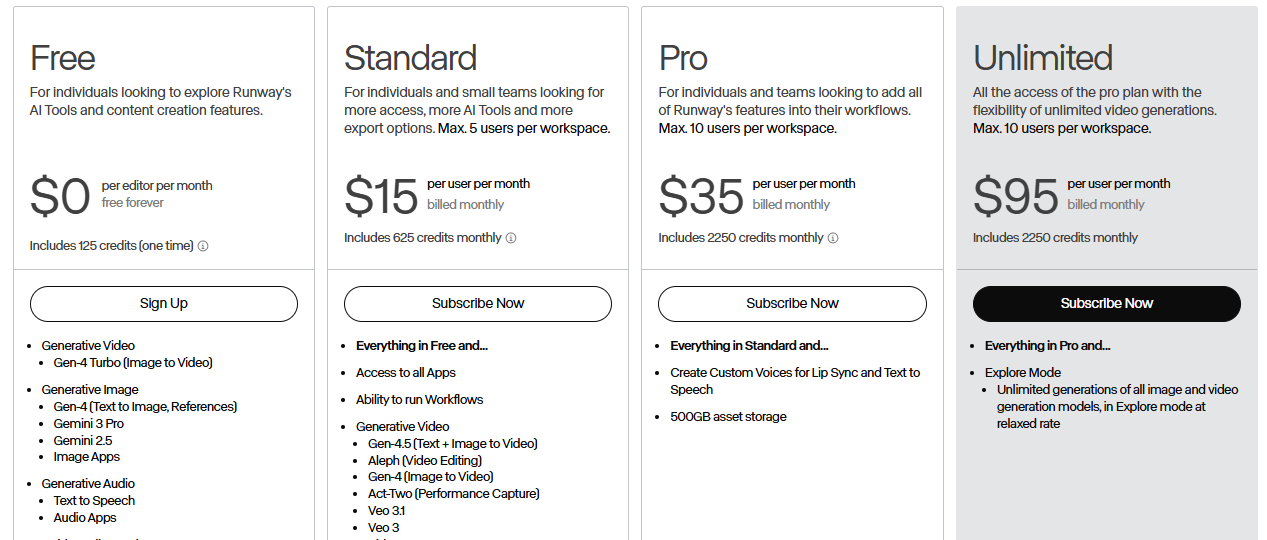
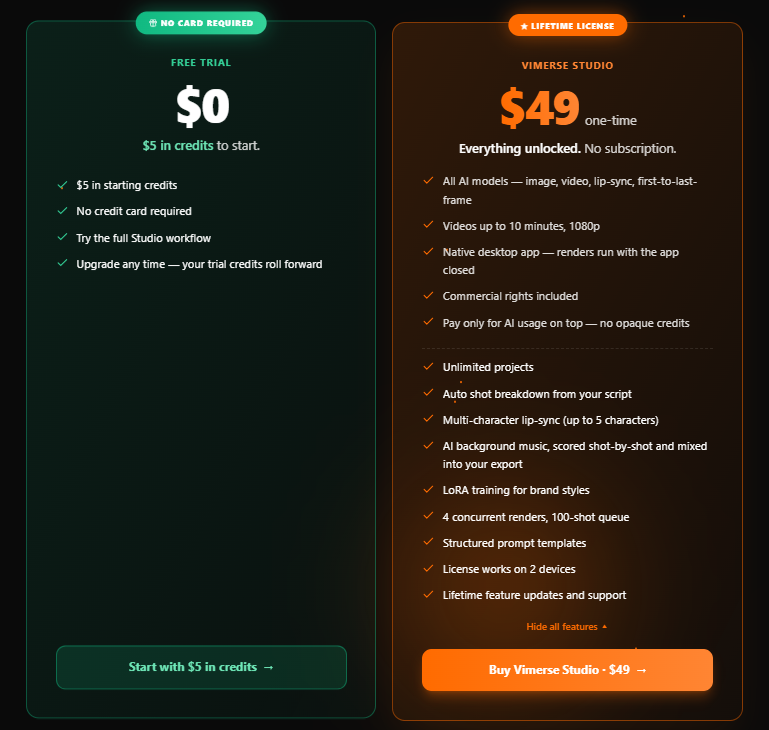
| Pricing | $49 lifetime license + pay per generation, no subscription | $15–95/mo subscription + credits |
| Voiceover | Built in (ElevenLabs, 11 languages) | Not included |
| Music | Built in (Lyria) | Not included |
| Assemble + sync | One timeline | Export clips to a separate editor |
| Export | MP4 or Premiere Pro XML | MP4 |
| Best for | Long-form: explainers, ads, YouTube, courses | Short hero shots, editing real footage |
THE FAIR COST COMPARISON: SAME MODEL (VEO 3.1)
The only honest cost comparison is like-for-like — the same model, so quality is identical.
Veo 3.1 is the top tier both tools offer (and note: on Runway, Veo always costs credits — it is NOT included in the "unlimited" Explore lane).
=> On the same Veo 3.1 quality, you save about $200/month — roughly $2,400/year — and that is BEFORE counting Runway's separate voiceover, editor, and your assembly time. Honest caveat: this win is specifically about premium Veo 3.1 quality. If you're happy with Runway's own mid models (Gen-4 Turbo) or its slower free Explore lane, Runway can be cheaper per second — but you give up model choice, speed, and the all-in-one workflow.
WHERE RUNWAY WINS (the honest part)
Runway is genuinely excellent, and for some work it's the better tool:
- Aleph (video-to-video editing): edit real footage — relight, recolor, restyle, add or remove objects, with continuity across the timeline. Vimerse generates from prompts/images; it does not edit existing video in-app.
- Motion Brush / Multi-Motion Brush: paint precise motion onto up to five elements in a frame. Vimerse uses motion prompts, not a brush.
- Act-Two: performance/motion capture (head, face, body, hand) to drive a character from your own acted reference. Vimerse does lipsync, not full performance capture.
- Advanced Camera Control, video-to-video restyle, 4K upscale, expand/outpaint.
- A polished browser + mobile app, real-time collaboration, and an API.
- Best-in-class single-clip cinematic quality and director-level control.
WHERE VIMERSE WINS
- One pipeline: script -> voiceover -> shots -> visuals -> music -> export, instead of stitching 120 clips across separate tools.
- Built-in multi-language voiceover and music (Runway has neither).
- Model choice per project — including Veo 3.1 for 25% less than Runway charges for it.
- Premiere Pro XML export, desktop/offline, and no monthly subscription — pay only when you create.
FEATURE-BY-FEATURE (the ones people ask about)
| Capability | Vimerse Studio | Runway | Edge |
|---|---|---|---|
| First → last frame | Yes (Last Frame) | Yes (first/middle/last keyframes) | Tie |
| Camera control | Yes | Yes (Advanced Camera Control) | Tie · Runway |
| Color / scene edit | Image-level edits + Premiere handoff | Aleph edits video directly | Runway |
| Motion brush | No (motion prompts) | Yes (Multi-Motion) | Runway |
| Performance capture | Lipsync only | Act-Two (head/face/body/hand) | Runway |
| Multi-model choice | Yes (Kling/Veo/Seedance/Flux) | No (own models) | Vimerse |
| Built-in voiceover + music | Yes | No | Vimerse |
| Long-form script → export | Yes | No | Vimerse |
The honest summary: Runway is the better tool for crafting and editing individual shots;
Vimerse is the better tool for assembling a whole video.
WHAT VIMERSE ACTUALLY DOES
Here's the script-to-export flow, start to finish.
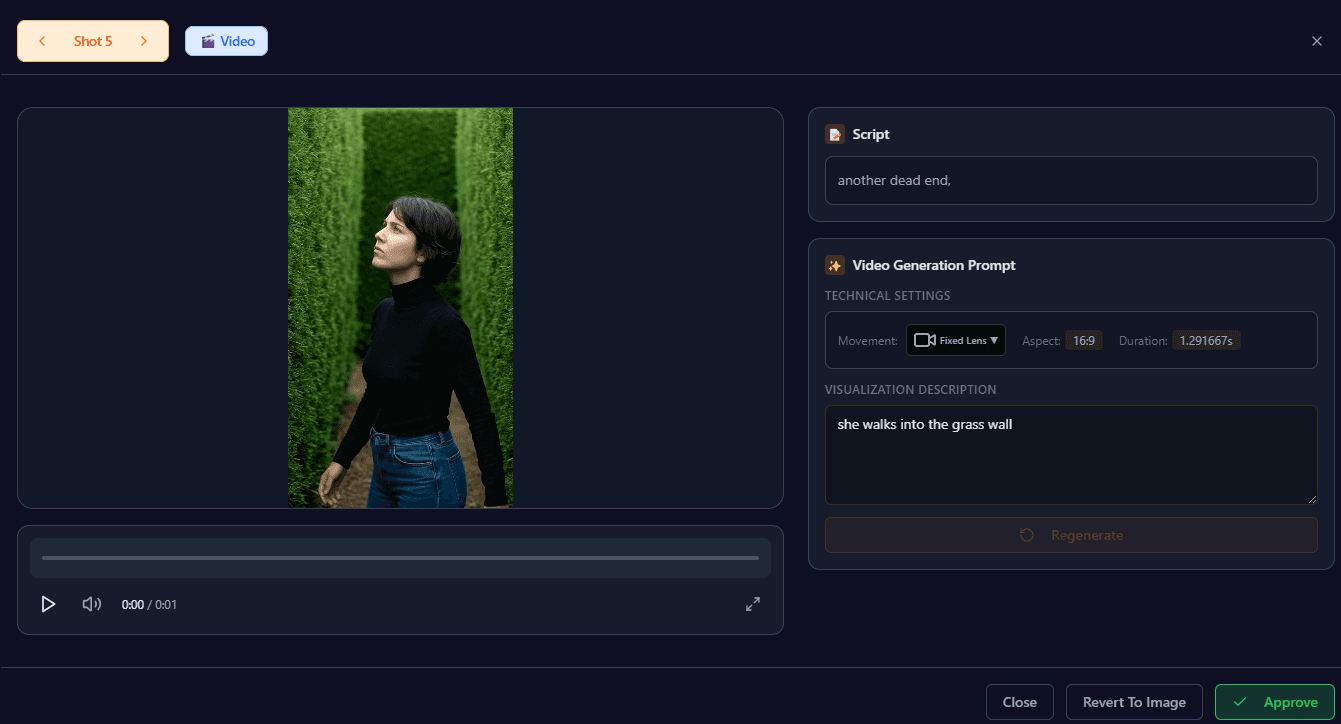
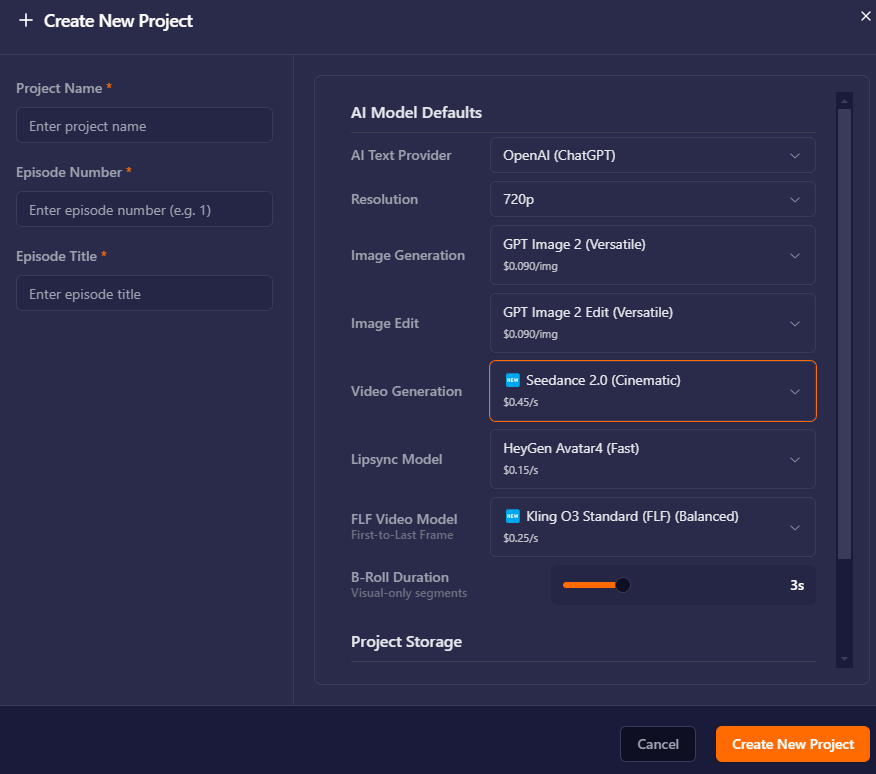
Pick the model. The dropdown shows the per-second price, so you control cost.
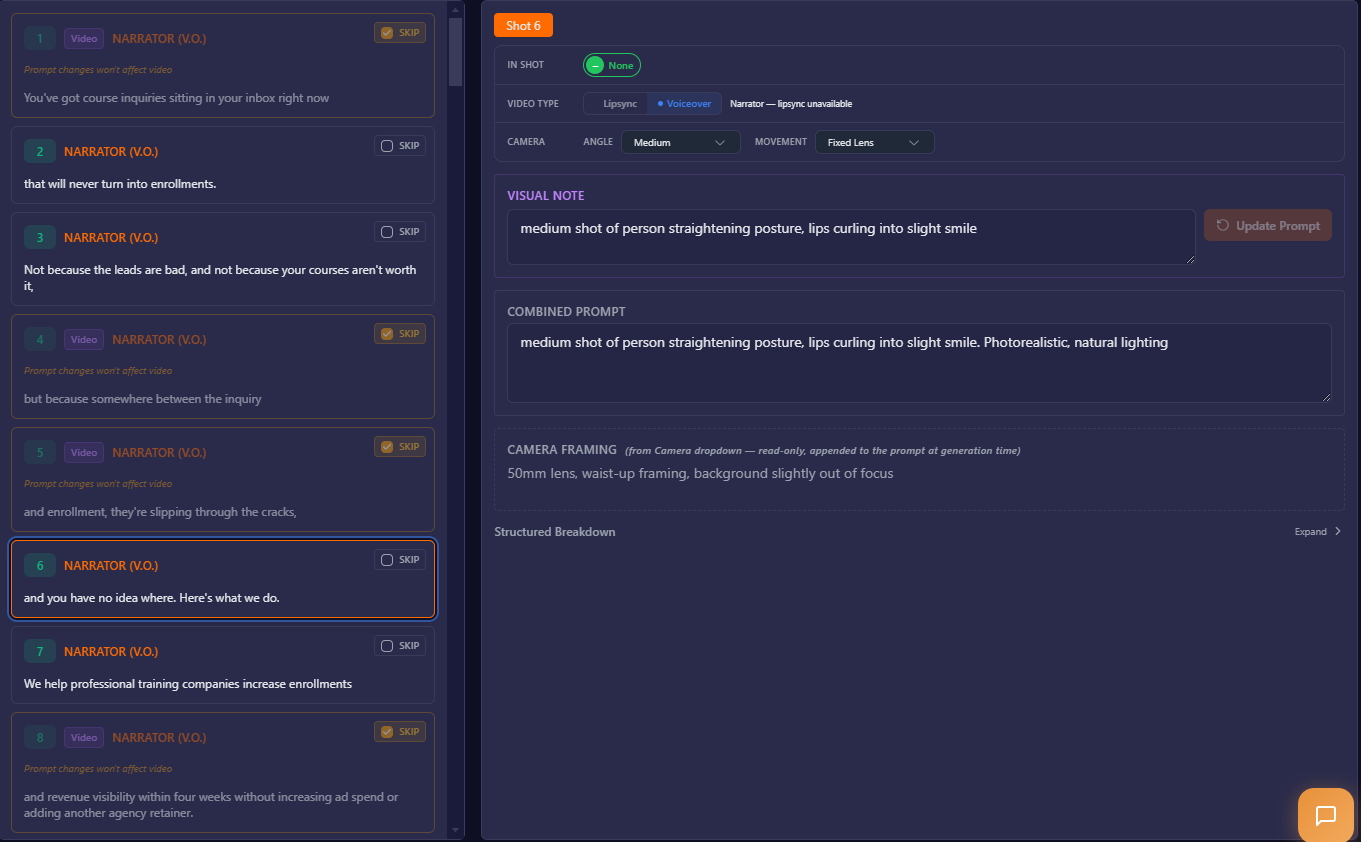
A 10-minute project breaks into shots with auto-written prompts.
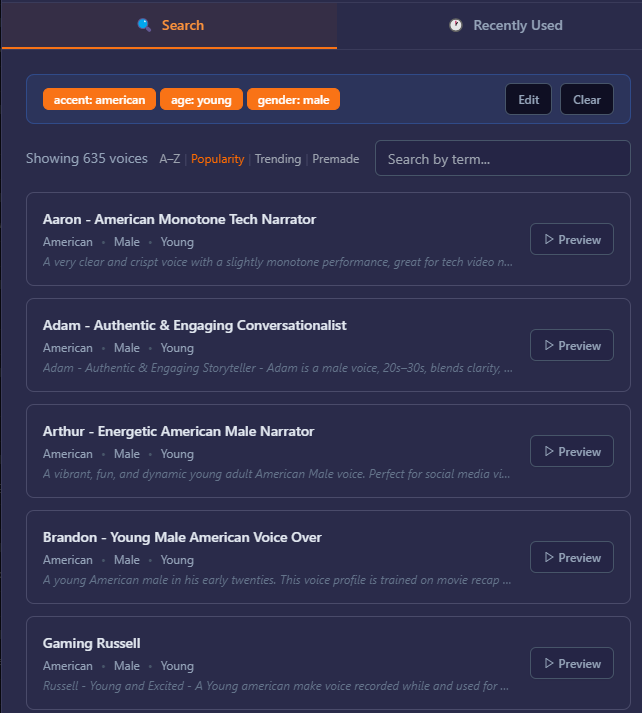
Voiceover is generated per shot in character voices, across 11 languages.
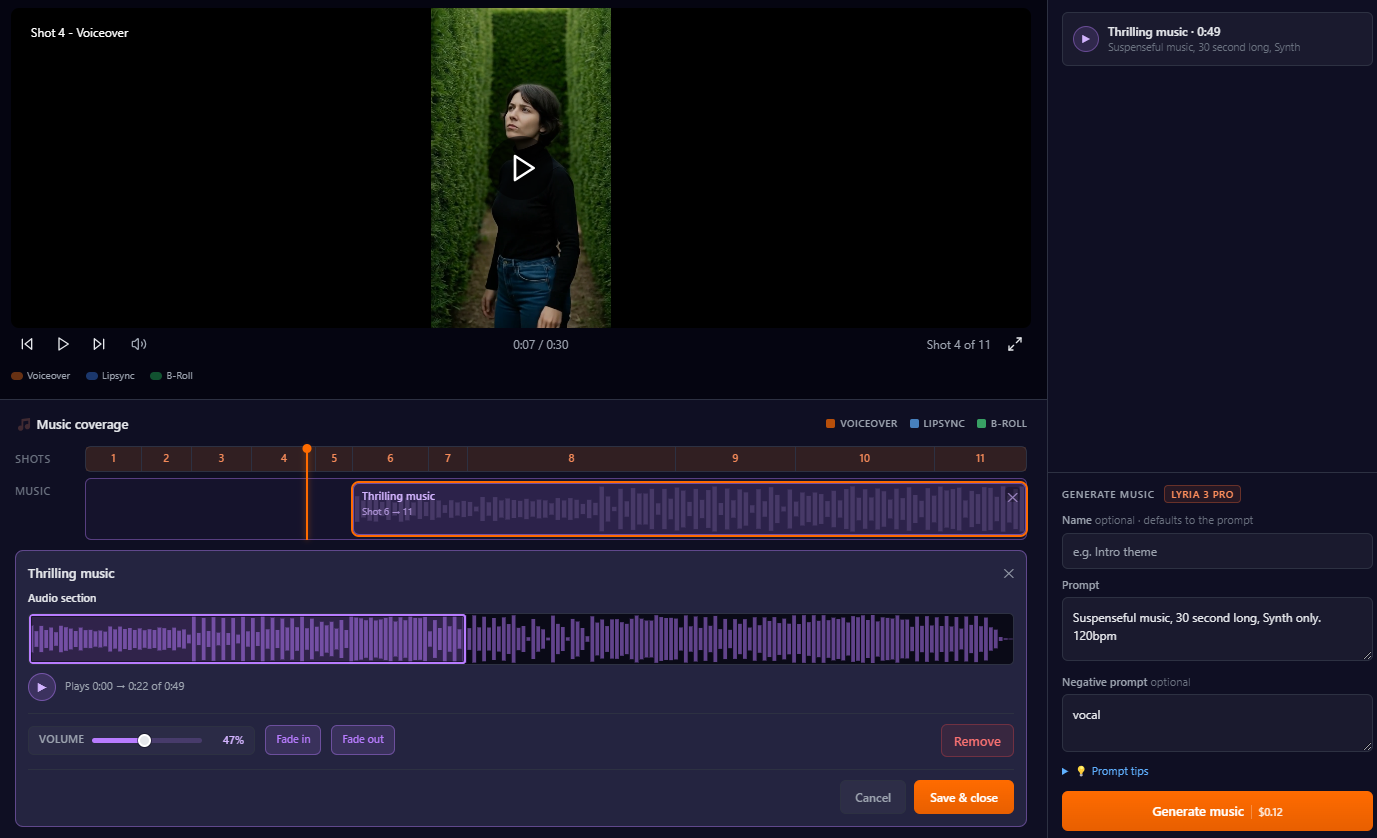
Generate and add music to your video. With a simple prompt, you can create a music track. Then, you can overlay the music to selected shots. You can choose which section of the track you want to choose as well.
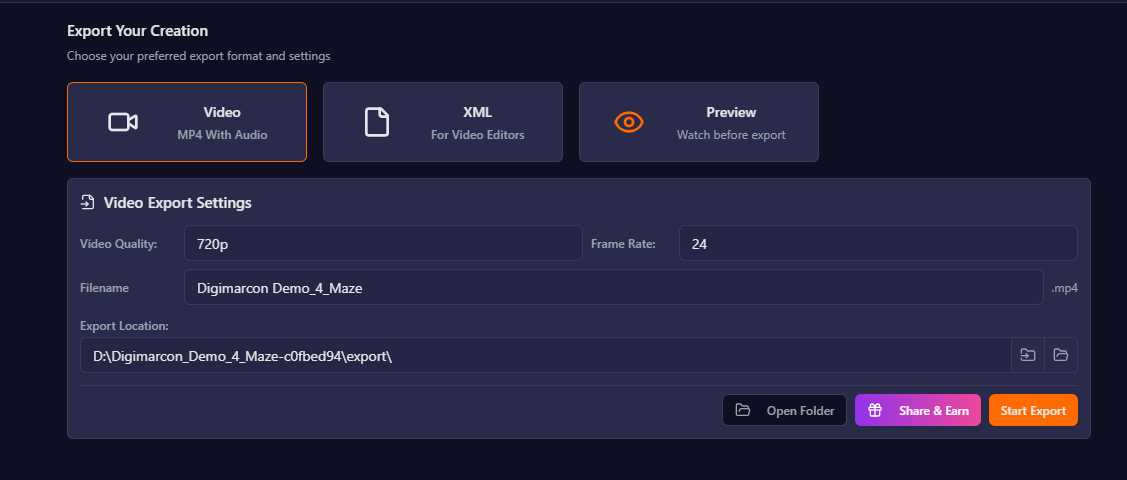
Export to MP4 to share, or a Premiere Pro XML to finish in your editor.
WHO SHOULD SWITCH (AND WHO SHOULDN'T)
Switch to Vimerse if you make explainers, video ads, YouTube content, courses, or anything multi-minute; you want top Veo 3.1 quality without paying Runway's premium for it; you want voiceover, music, and editing in one place; or you don't produce enough every month to justify a standing subscription.
Stay on Runway if your work is single hero shots, you need to edit existing footage (Aleph) or use Motion Brush and Act-Two, you live in its director-style workflow, or you push high volume of short clips and don't need long-form assembly.
FAQ
Is Vimerse free to try? Yes, you can sign up and use $5 credit for free to try the app.
Does Vimerse use the same models as Runway? Vimerse lets you pick the model, including Google's Veo 3.1, the same top model Runway offers, for about 25% less per second.
Is Vimerse cheaper than Runway? On the same Veo 3.1 quality, yes. It would be roughly $2,400/year less at 4 ten-minute videos a month, with voiceover and editing included. If you only need Runway's own cheaper models or its slow free lane, Runway can cost less per second.
Can Vimerse edit existing video like Runway's Aleph? No. Vimerse generates videos; for editing real footage, Runway is the better tool.
Does it run on Mac and Windows? Yes, it's a desktop app for both.
THE VERDICT: Runway is the better single-clip studio and video editor. Vimerse Studio is the better tool for making a whole video.
Create your first video free -> https://vimerse.app